Creative tool · Powered by AI Lip Sync
Coming soonAI News Anchor
Upload a portrait, paste a script, and get a news anchor video in minutes.
- Type a script, record your voice, or upload audio
- Output format and resolution depend on the certified model selected in Studio
- Private library and signed downloads
Add a voice
You’ll pick a voice and generate in the studio.
How it works
Three steps to your video.
01
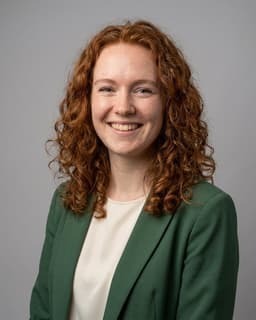
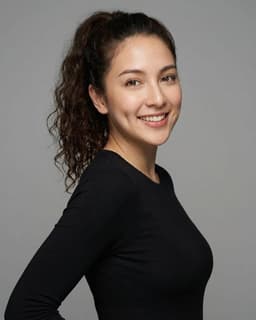
Upload a portrait
Pick a clear, front-facing photo. JPG, PNG, or WEBP up to 10MB.
02
Write or paste your script
Type the script you want the anchor to read, then pick a voice style. Or upload your own audio.
03
Generate
Hit generate and track provider processing in your library. Processing time varies.
Examples
Made with AI News Anchor.
About this tool
What is AI News Anchor?
AI News Anchor takes a portrait photo and a script and turns them into a short video where the person reads the script like a news anchor.
Useful for news parody reels, explainer clips, YouTube intros, recap videos, and quick social content. You type the script, and the voice and mouth do the work.
Type your script, pick a voice, and generate. You can also upload pre-recorded audio if you already have it.
Features
Everything you need, nothing you don’t.
Write the script — skip the takes
No filming, no retakes. Paste the script and the anchor reads it back on the first try.
Realistic mouth and facial motion
Natural lip sync with subtle head movement, not a frozen photo.
Works in multiple languages
Use the voice that matches your script — English, Spanish, French, German, and more.
Pre-recorded audio works too
If you already have a voiceover, upload it instead of typing a script.
HD download
Export in HD, ready for YouTube, TikTok, or your newsletter.
Private signed download
Access your result through a private, signed download.
Take it global
Want this video in another language?
Send any video to AI Dubbing for translated audio without mouth regeneration. Certified visual lip sync is an optional, separately priced mode.



Related tools
More ways to bring a face to life.

FAQ
Questions about AI News Anchor.
Can I use a photo of a real news anchor?
Only with permission. Don't use photos of real journalists or public figures to impersonate them or spread misinformation. Use your own photo, a colleague's (with consent), or a licensed stock portrait.
How long can the script be?
Maximum duration depends on the selected certified model and your account tier. The server validates it before reserving credits.
What photos work best?
Studio or well-lit portraits with the face clear and front-facing. Avoid sunglasses, heavy filters, or group shots.
Can I pick the voice?
Yes — the text-to-speech panel lets you choose from multiple voices in several languages.
How many credits does it cost?
The server calculates the estimated whole-job cost from the selected certified model, verified audio duration, resolution, and current provider rate before generation.
Can I use the video for parody or satire?
Yes, but label it clearly as parody. Don't pass AI-generated video off as real news — most platforms require disclosure.
Ready to create an anchor video?
Upload a portrait, add narration, and track the generation in your library.